


How to Secure CRM Integrations and Connected Apps
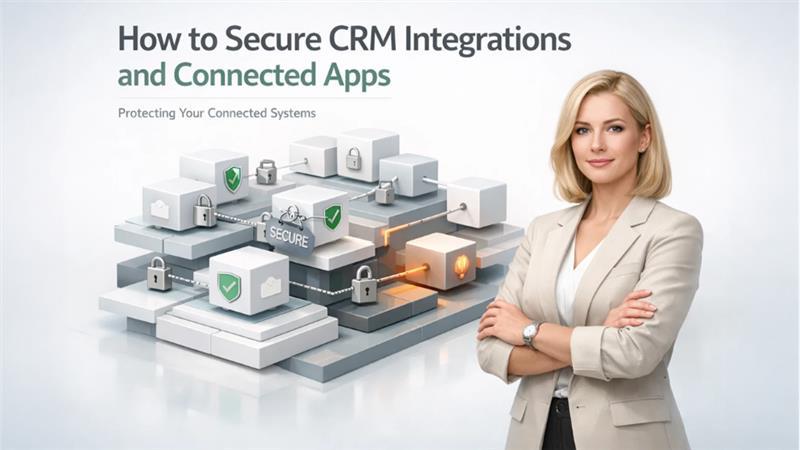
Modern CRM platforms no longer live in isolation. They sit at the center of a growing ecosystem—marketing tools, accounting software, customer support platforms, analytics dashboards, and dozens of other connected apps. These integrations unlock speed, visibility, and automation. They also quietly expand your attack surface.
That’s the uncomfortable truth many businesses ignore.
When companies talk about CRM security, they often focus on passwords, user roles, and data backups. But the real risk today comes from what’s connected to the CRM. Every integration, plugin, or third-party app is a potential doorway. If one is poorly secured, attackers don’t need to break into your CRM directly—they just walk in through the side entrance.
Securing CRM integrations and connected apps is no longer optional. It’s a core part of protecting customer trust and business continuity.
Why CRM Integrations Create Hidden Security Risks
Integrations are designed to make systems talk to each other. That usually means shared access, shared data, and shared permissions. The problem is that security doesn’t always scale at the same pace as connectivity.
Here’s where things typically go wrong:
-
Apps are connected once and never reviewed again
-
Permissions are overly broad “just to make it work”
-
API keys live forever and are rarely rotated
-
Teams forget which tools have access to sensitive CRM data
“The biggest CRM security failures don’t come from hackers—they come from forgotten integrations.”
Each new connection adds complexity. Without a clear strategy, that complexity turns into blind spots.
Start With Integration Visibility (You Can’t Secure What You Don’t See)
The first step to secure CRM integrations and connected apps is painfully simple—and often skipped: get full visibility.
You should be able to answer these questions instantly:
-
Which apps are connected to the CRM?
-
What data can each app access?
-
Who approved the integration?
-
When was it last used?
If you can’t answer these, you’re operating on assumptions.
Create a living inventory of integrations. This isn’t a one-time audit—it’s an ongoing process. Mature CRM environments treat integrations like users: reviewed, documented, and monitored.
A solid integration inventory typically includes:
|
Integration Name |
Purpose |
Data Accessed |
Permission Level |
Last Activity |
|
Email Platform |
Campaign sync |
Contacts, leads |
Read/Write |
Last week |
|
Accounting Tool |
Invoice sync |
Customers, deals |
Limited |
Yesterday |
|
Analytics App |
Reporting |
Aggregated data |
Read-only |
Today |
This level of clarity is the foundation of CRM integration security.
Apply the Principle of Least Privilege—Relentlessly
Most integrations don’t need full access. They never did.
Yet many businesses still grant “all permissions” because it’s faster during setup. That shortcut creates long-term risk.
When securing CRM integrations and connected apps, every permission should answer one question: Is this absolutely required for the app to function?
Practical steps that actually work:
-
Prefer read-only access whenever possible
-
Restrict write access to specific objects, not the entire CRM
-
Avoid global admin permissions for third-party apps
-
Separate test integrations from production data
This approach reduces blast radius. If an integration is compromised, the damage stays contained.
Treat API Keys and Tokens Like Passwords (Because They Are)
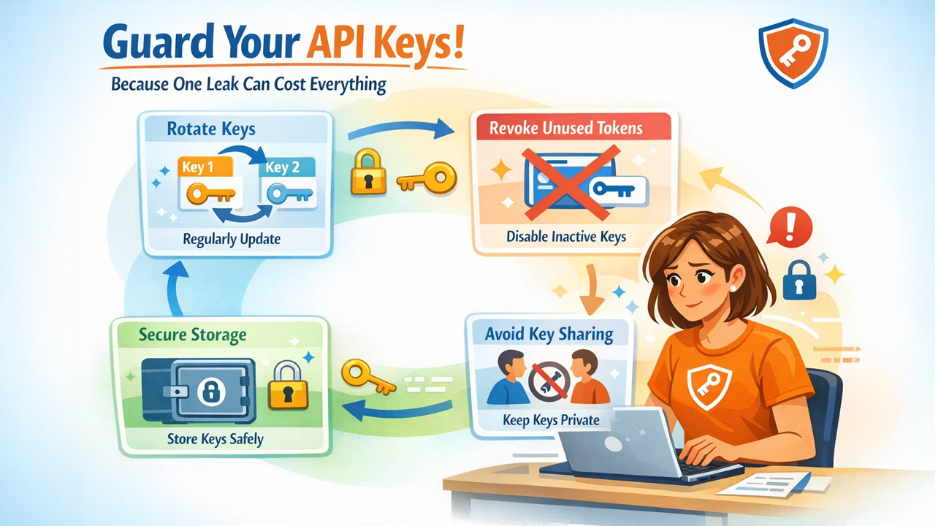
APIs power CRM integrations, and API keys are often the weakest link.
Many teams generate a key once and forget about it. That’s risky.
API credentials should follow the same hygiene rules as user passwords:
-
Rotate keys regularly
-
Revoke unused or inactive tokens
-
Store credentials securely, never in plain text
-
Avoid sharing one API key across multiple apps
If an API token leaks—and it happens more often than companies admit—attackers gain silent, automated access. No login alerts. No suspicious activity warnings. Just clean data extraction.
Securing CRM integrations means securing the credentials behind them.
Watch Behavior, Not Just Configuration
Configuration-based security only gets you so far. Real protection comes from monitoring how integrations behave over time.
Ask yourself:
-
Is this app suddenly pulling far more data than usual?
-
Is it accessing records outside business hours?
-
Has usage changed without explanation?
Behavioral monitoring helps spot compromised integrations early—before data is lost or manipulated.
This is where businesses often lean on modern system-level visibility and security tooling, like the approaches discussed on Outright Systems, which focuses on building resilient, monitored software ecosystems rather than isolated tools.
The lesson is clear: static permissions aren’t enough in a dynamic environment.
Secure the Human Side of Integrations
Not all integration risks are technical. Many start with people.
Common human-driven failures include:
-
Employees connecting tools without approval
-
Developers using personal accounts for production integrations
-
Teams abandoning tools without disconnecting access
To reduce this risk:
-
Define who can approve CRM integrations
-
Require documentation for every new connection
-
Train teams on why “just connecting an app” matters
CRM security improves dramatically when integration governance is treated as a business process, not an IT afterthought.
Use Environment Separation to Limit Damage
One overlooked tactic to secure CRM integrations and connected apps is environment separation.
Production data should never be the testing ground.
Best practice looks like this:
-
Sandbox CRM for testing new integrations
-
Limited datasets for development and QA
-
Promotion to production only after review
This ensures that experimental apps or half-tested integrations don’t touch real customer data.
CRM platforms that emphasize controlled environments—like those discussed on Outright CRM—tend to handle integrations more safely because security is baked into how systems connect, not added later.
Plan for Integration Failure (Because It Will Happen)
No security setup is perfect. That’s why preparation matters.
Ask in advance:
-
How fast can we revoke an integration?
-
Who gets alerted if data access looks abnormal?
-
What’s our response if a third-party app is breached?
Document these answers. Test them. Treat integration incidents the same way you’d treat a user account compromise.
Speed matters. The faster you can disconnect and contain, the less damage occurs.
The Real Future of CRM Security
As CRMs become more connected, security shifts from guarding a single system to managing an ecosystem. The companies that do this well stop thinking in terms of tools and start thinking in terms of trust boundaries.
Securing CRM integrations and connected apps isn’t about fear. It’s about discipline.
The forward-looking organizations already understand this: every connection is a decision, every permission is a risk trade-off, and every integration deserves ongoing attention—not blind trust.
Sponsorluk
Sponsorluk
Kategoriler
- AI
- Tasarım
- Fashion and Art
- Investment and Finance
- Top 10
- Christianity
- Climate and Enviroment
- Writing and Film
- Fitness
- Food
- Oyunlar
- Gardening
- Health
- Home and Interiors
- Marketing and Sales
- Music
- Making Money Online
- Others
- Books
- Religion
- Ecommerce
- Sports
- Cars
- Wellness
- Tech Gadgets
- Events
- Governments and Nations
- Science and Engineering
- Real Estate
- Travel, Tourism and Hospitality
- EĞİTİM BİLGİLERİ
- Startups
- Beauty and Cosmetics
- Agriculture
- Computer Operating Systems
- Crypto
- Politics and News
- Video Review
- Immigration
Read More
Introduction The cosplay clothing market has evolved from a niche hobby into a booming global industry, blending fashion, creativity, and pop culture. Cosplay—short for “costume play”—involves dressing up as characters from anime, manga, video games, movies, and comic books. Over the past decade, it has gained tremendous popularity, with dedicated fan...

has fashioned herself as the aspirational figure in the villa the true bombshell to conquer them all. Start with a tennis white inspired satin mini dress, a pair of metallic heeled sandals, and for that final touch of city like drama, complete the look with a studded black handbag. duty in your wardrobe. When it comes to shoes that transcend fleeting trends, few rival the enduring appeal of a...

Executive Summary Polycarbonate Market Size and Share Forecast Data Bridge Market Research analyses that the polycarbonate market will witness a CAGR of 6.40% for the forecast period of 2022-2029. Complex market insights are represented in a simpler version in the world class Polycarbonate Market report for the better understanding of end user where most advanced tools and techniques...
"Executive Summary: Luxury Cosmetics Market Size and Share by Application & Industry CAGR Value: Data Bridge Market Research analyses that the luxury cosmetics market was valued at USD 45.88 billion in 2021 and is expected to reach the value of USD 75.37 billion by 2029, and is likely to grow at a CAGR of 6.40% during the forecast period during the forecast period of 2022 to...
Comprehensive Outlook on Executive Summary Levulinic Acid Market Size and Share Global levulinic acid market size was valued at USD 41.04 million in 2024 and is projected to reach USD 118.49 million by 2032, with a CAGR of 14.17% during the forecast period of 2025 to 2032. This competitive era calls for businesses to be equipped with knowhow of the major happenings of the market and Levulinic...